April 27 – May 10
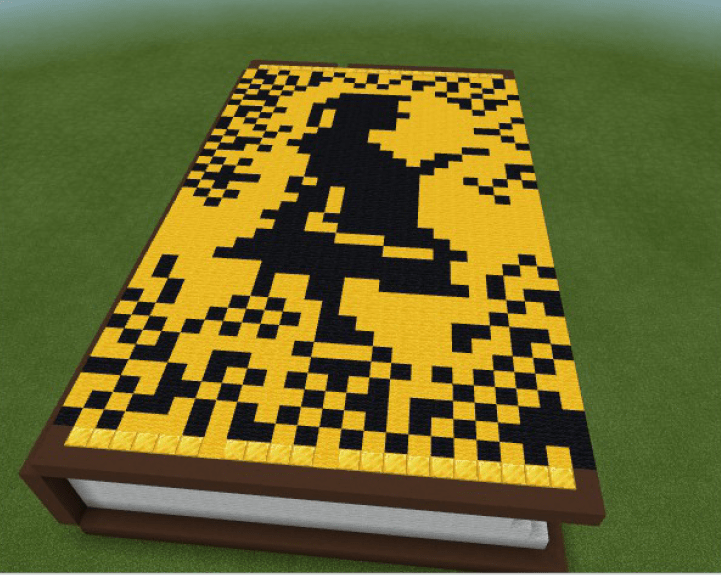
Minecraft Book Cover
Use these videos to help set up your Minecraft book cover for the CIRC lesson for the week’s of April 27th through May 10th.
This lesson is in TWO parts. You must complete BOTH parts to be considered complete. All students will have two full weeks to complete this project.
Part 1
- Download the BookCover.mcworld file. (See Video 1 below)
- If your computer does not have Minecraft Education installed, download and install it from THIS LINK.
- Choose the Recommended for your Device: Windows Desktop version.
- Re-try step one once Minecraft has been installed.
- Re-create the book cover of your favorite book using the book supplied in the downloaded file. This book must be REAL and a book that anyone can read. Please choose a book that you have read while you are in middle school. (See Video 2 below)
- The best Picture that represents the cover of the book is all you need.
- You DO NOT need to “write” the title or author of the book on the cover.
- Take a picture of the book and download the picture to your OneDrive – Seneca Valley folder. (See Video 3 below)
Part 2
- Complete the Questionnaire form.
- Upload your picture of the book cover in the Questionnaire form. (See Video 4 below)
- Click Submit
Getting Started
Video 1:
This video will help students download and install the BookCover.mcworld file to get started for their CIRC Lesson this week.
Creating Book Cover
Video 2:
This video shows students how to collect the colored blocks and use them to create their book cover.
Saving Picture
Video 3:
This video shows students how to take a picture of their book cover and download the image to share.
Uploading Picture
Video 4:
This video shows students how to complete the final questionnaire (5th Grade) (6th Grade) and upload their book covers for the teacher to view.
Help & Troubleshooting
Video 5 – Troubleshooting Tips:
This video helps students with some common troubleshooting tips.

