Coding Robots Remotely
Use the links below to code the robots
LIVE during the presentation!
- Click on the Robot link below
- Press “C” on your keyboard to connect
- Press “Q – W – E – R – T – Y – U – I – O” on your keyboard and see what happens!
- Press “X” to disconnect and allow someone else to try!
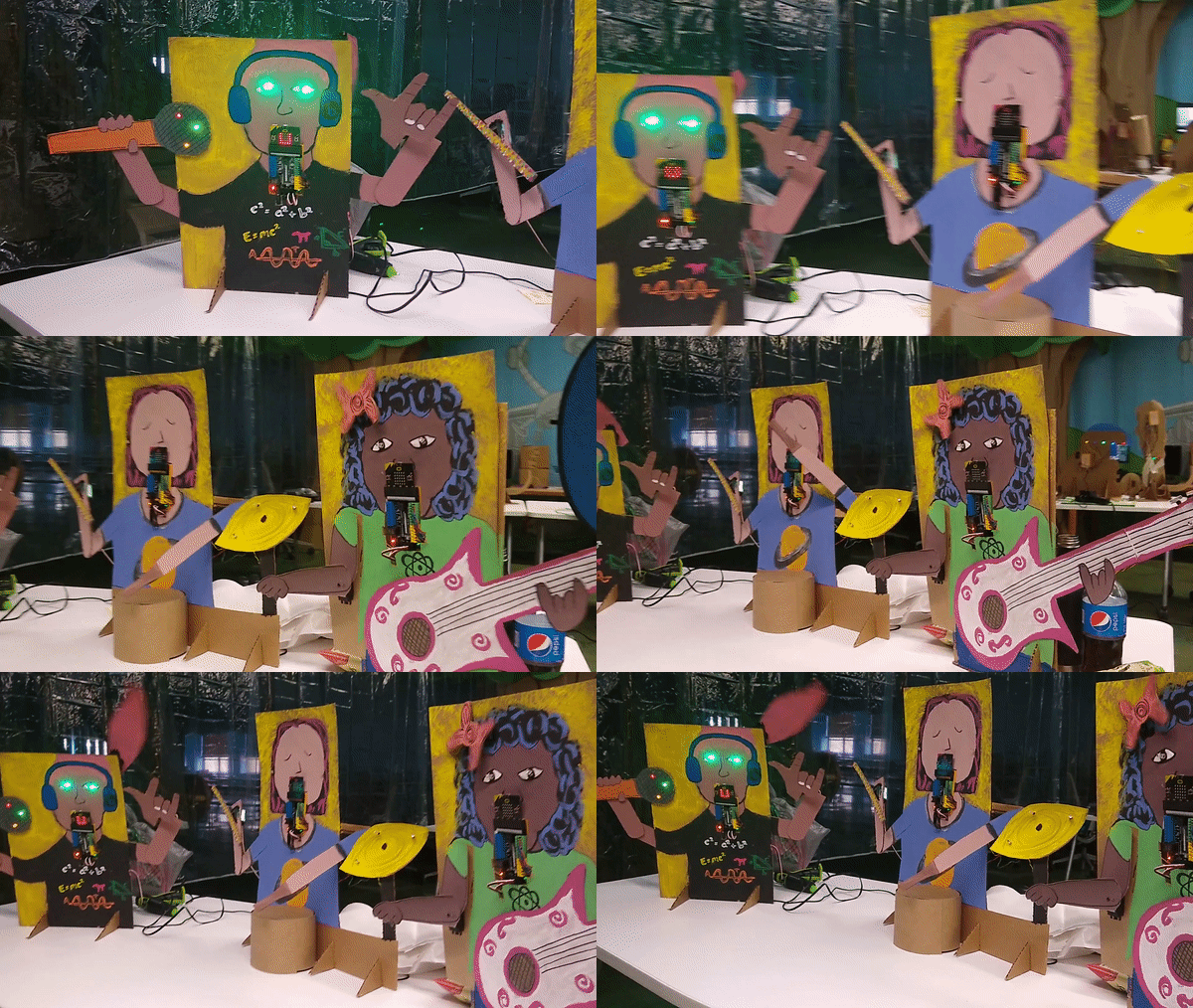
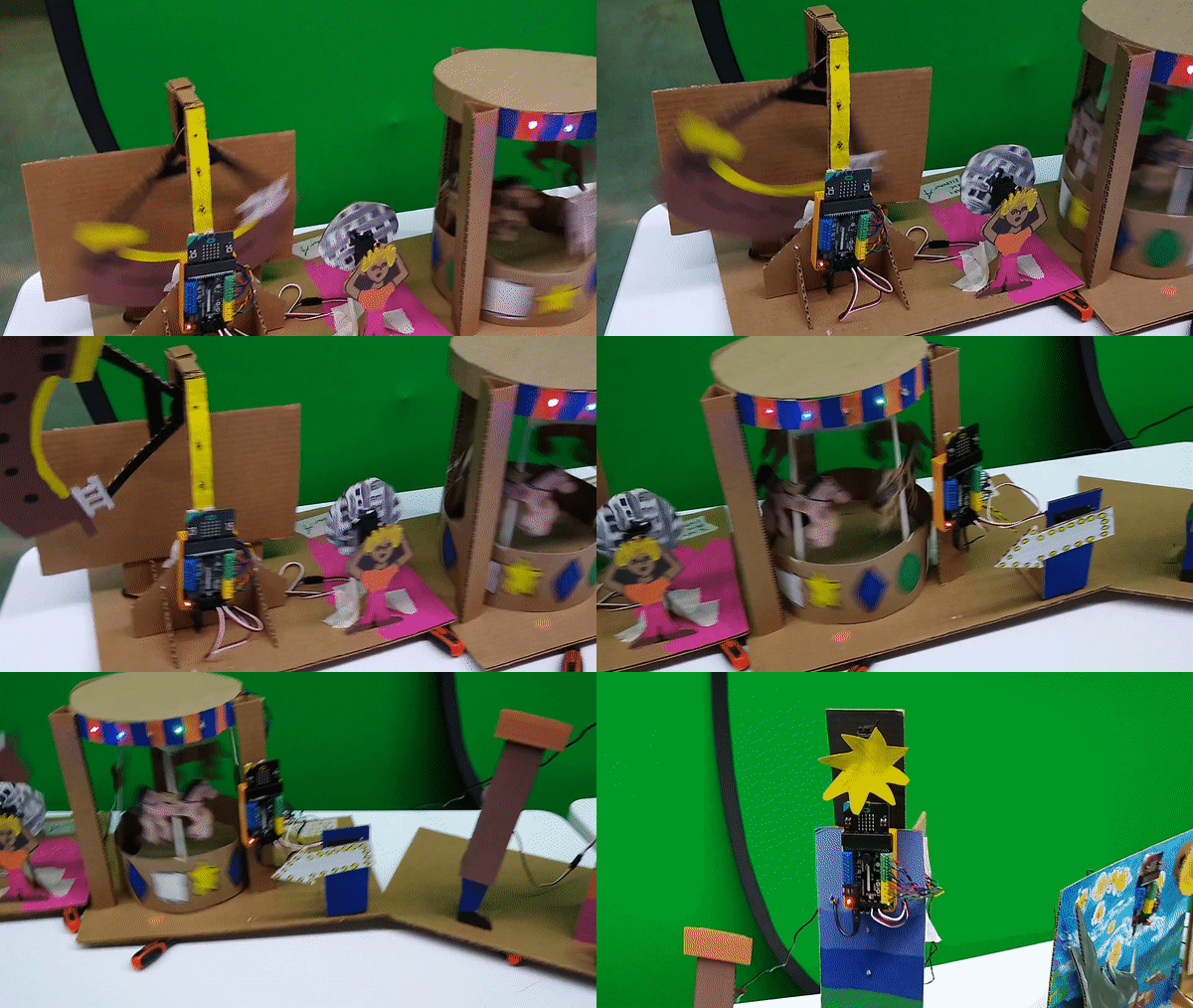
Circus Robots
These robots were available to code for my students during the 2020-2021 School year.
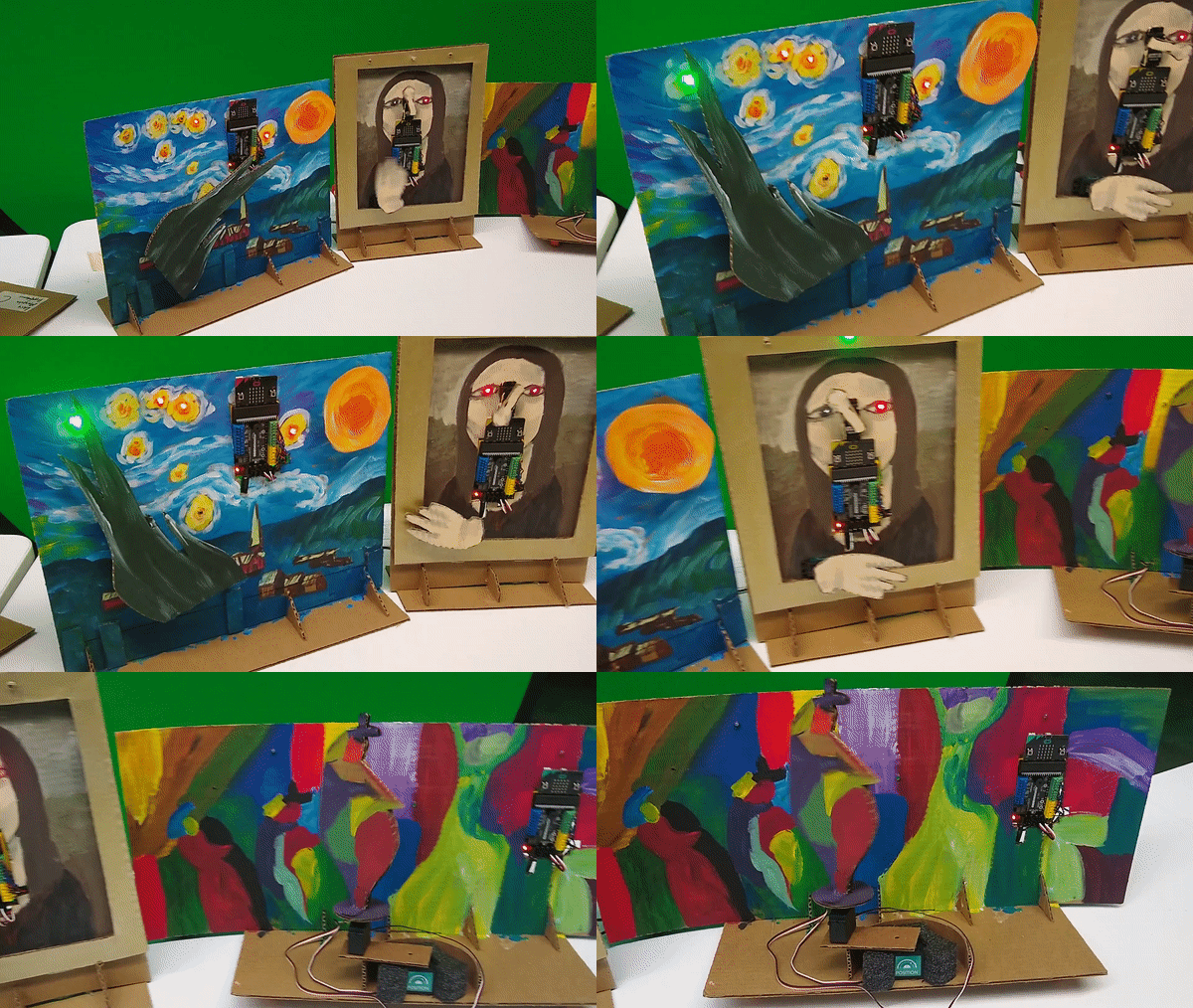
Art Robots
These robots were available to code for my students during the 2020-2021 School year.
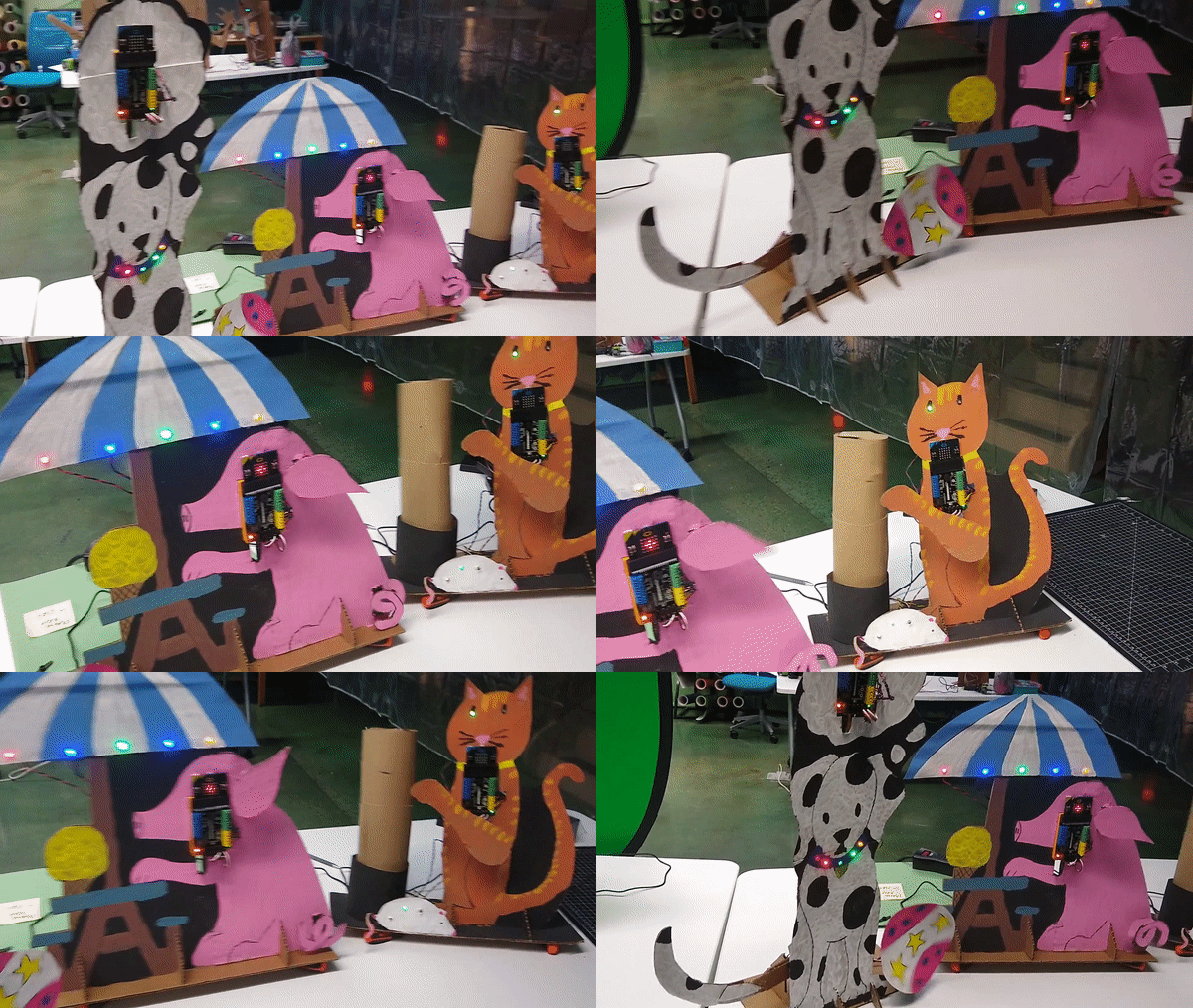
Pet Robots
These robots were available to code for my students during the 2020-2021 School year.
Create Your Own Remote Robots

Click the link below for complete instructions on how to set up your Hummingbird kits (or Finch Robots) for remote coding:
Make Your Own Remote Hummingbird Robot
Make Your Own Remote Finch Robot
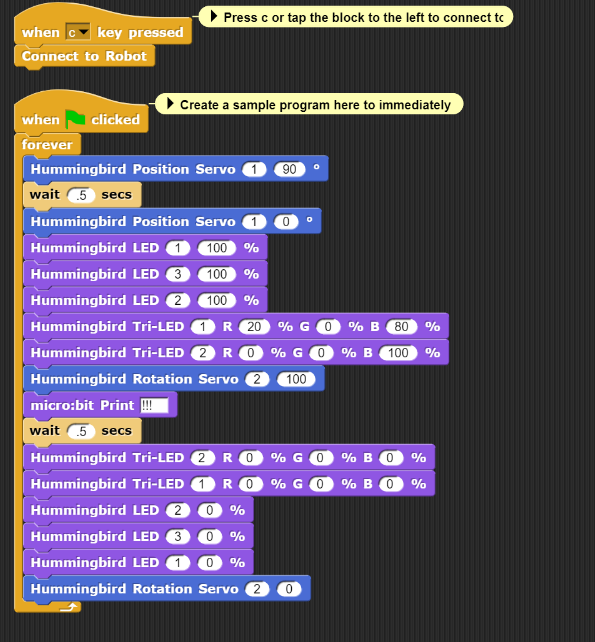
Basic Starter Code
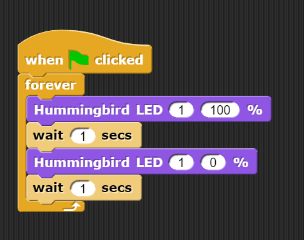
Blinking LED light
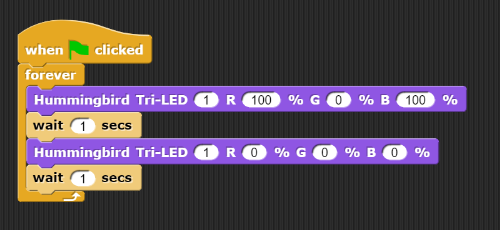
Blinking Tri-LED light
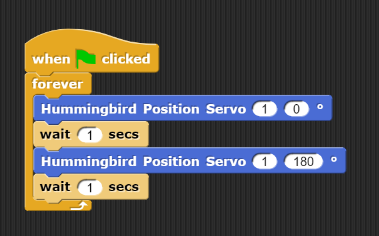
Moving Position Servo Motor
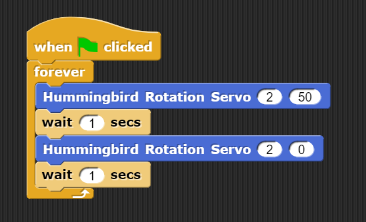
Rotation Servo Start/Stop
Micro:bit “mouth” open/close
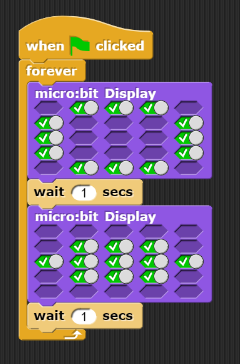
Sample “Strong Man” code
How-To Videos
Connect to Live Stream and Test your Robot Coding connection.
Coding LED lights and RGB LED lights.
Coding Rotation (spinning) servo motors and coding Position (180 degree) servo motors.
Coding 5×5 micro:bit display on your remote robot.
Disconnect from Robot, Save your Netsblox code, Import saved Netsblox code.
Now have some fun!
Remote Robots:
Created by: Eric Fogle, Librarian/CIRC Teacher Seneca Valley School District
@fogleem YouTube: MrFogleSVSD
Robots powered by: Birdbrain Technologies, Hummingbird Bit Robot

